School owners & principals
See enrolment, fees collected and outstanding, expenditure and results from one dashboard — without waiting for someone to compile a report.

Run your school term by term. Students and parents, continuous assessment and exam results, printable report cards, fees and receipts, attendance, expenditure, inventory and financial reports — in one system, with the right portal for every person in your school. Built and maintained in Lagos by Gsoft Interactive Systems.
Live demo at termwise.gsoftinteractive.com · logins issued on request, usually within one working day · no cost to look.
Termwise replaces the result-computation spreadsheet, the fees ledger, the attendance register and the WhatsApp broadcasts with one place that every stakeholder can log into. It suits single-campus private schools from a few dozen pupils to several hundred students, and group schools that want the same structure on every campus.
See enrolment, fees collected and outstanding, expenditure and results from one dashboard — without waiting for someone to compile a report.
Enter CA and exam scores for your subjects, mark attendance for your class, and let the system compute totals, grades and positions.
Log in to see report cards, fee statements and receipts for every child — no more lost paper results or "please confirm my payment" calls.
Configurable exam types (First CA, Second CA, Third CA, Examination), configurable A–F grading, automatic totals, averages and class positions. Printable termly report cards with grading key and signature blocks.
Fee types per class, session and term. Assign fees, apply discounts, record payments by bank transfer, POS, cash or cheque, issue numbered receipts and track every outstanding balance.
Daily student attendance marked by form teachers and staff attendance marked by admin, with per-student and per-teacher reports for the term.
Complete student records with admission numbers, photos and status. Parents linked to one or more children with their own login.
Academic sessions with three terms, classes from preschool to senior secondary, optional sections, subject mapping per class, form-teacher and subject-teacher assignments.
See who is eligible based on average scores against your promotion mark, promote manually or in one click, and keep the history.
Record expenses by category with vendor and reference numbers. Income vs expenditure, monthly breakdowns and category reports for the proprietor.
Track stationery, furniture, lab and ICT equipment with reorder levels, stock in/out transactions and low-stock alerts.
Role-based access, bcrypt-hashed passwords, CSRF protection, an activity log of who did what and when, and daily backups on Gsoft-managed hosting.
Proprietor or principal. Full control: settings, users, grading, every module and report.
Students, parents, classes, subjects, sessions and results administration — without system settings.
Fees, payments, receipts, expenditure and financial reports.
Score entry for assigned subjects, attendance for their class, their own timetable of classes and subjects.
Results, report cards, fee statements and receipts for every child linked to them.
Their own results, report cards and fee status.
Most school software sold in Nigeria was designed for another country's calendar and grading. Termwise started as a build for a Nigerian school and kept the local defaults.
Taken from the live demo (a fictional school — every name and number is invented).
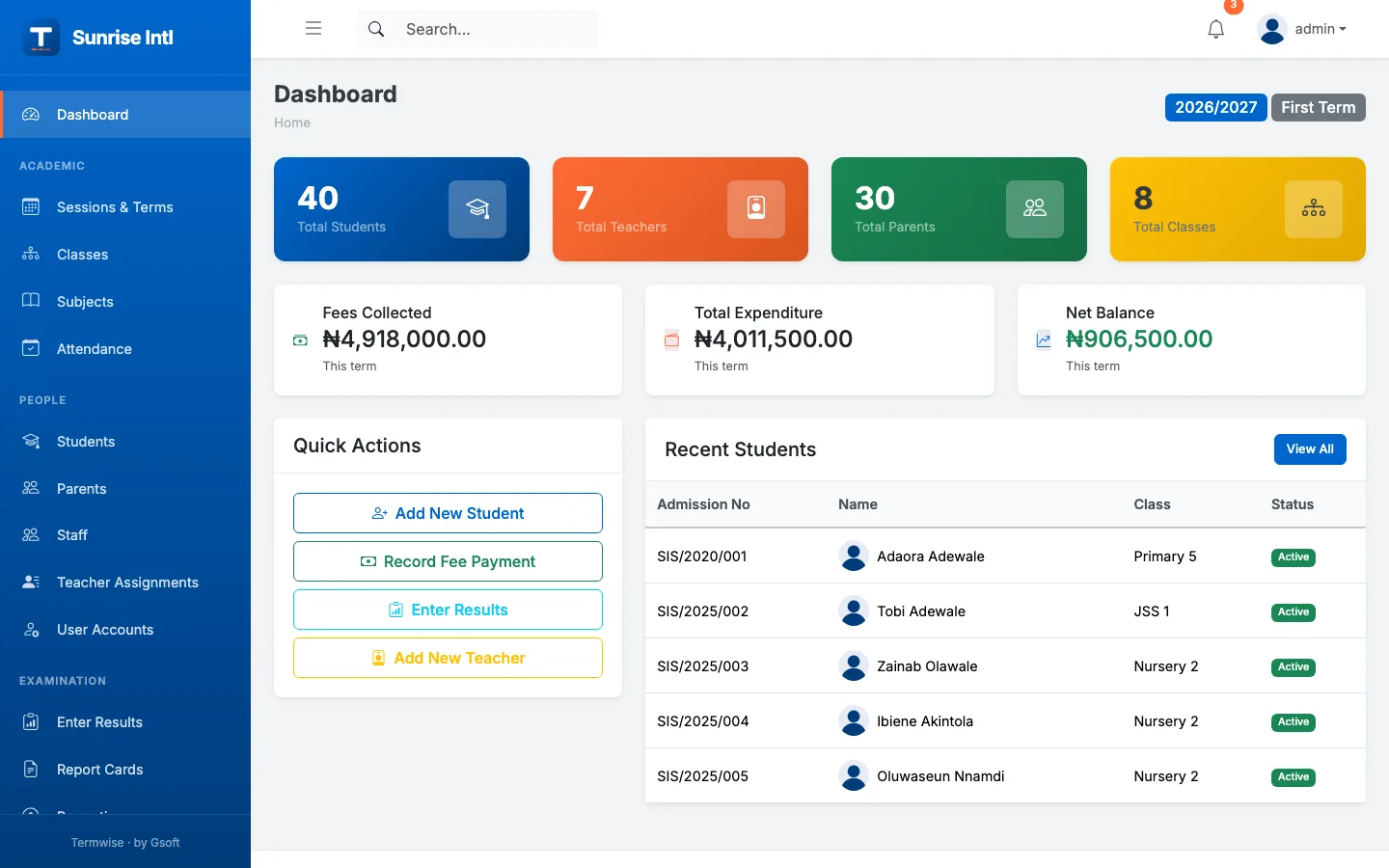
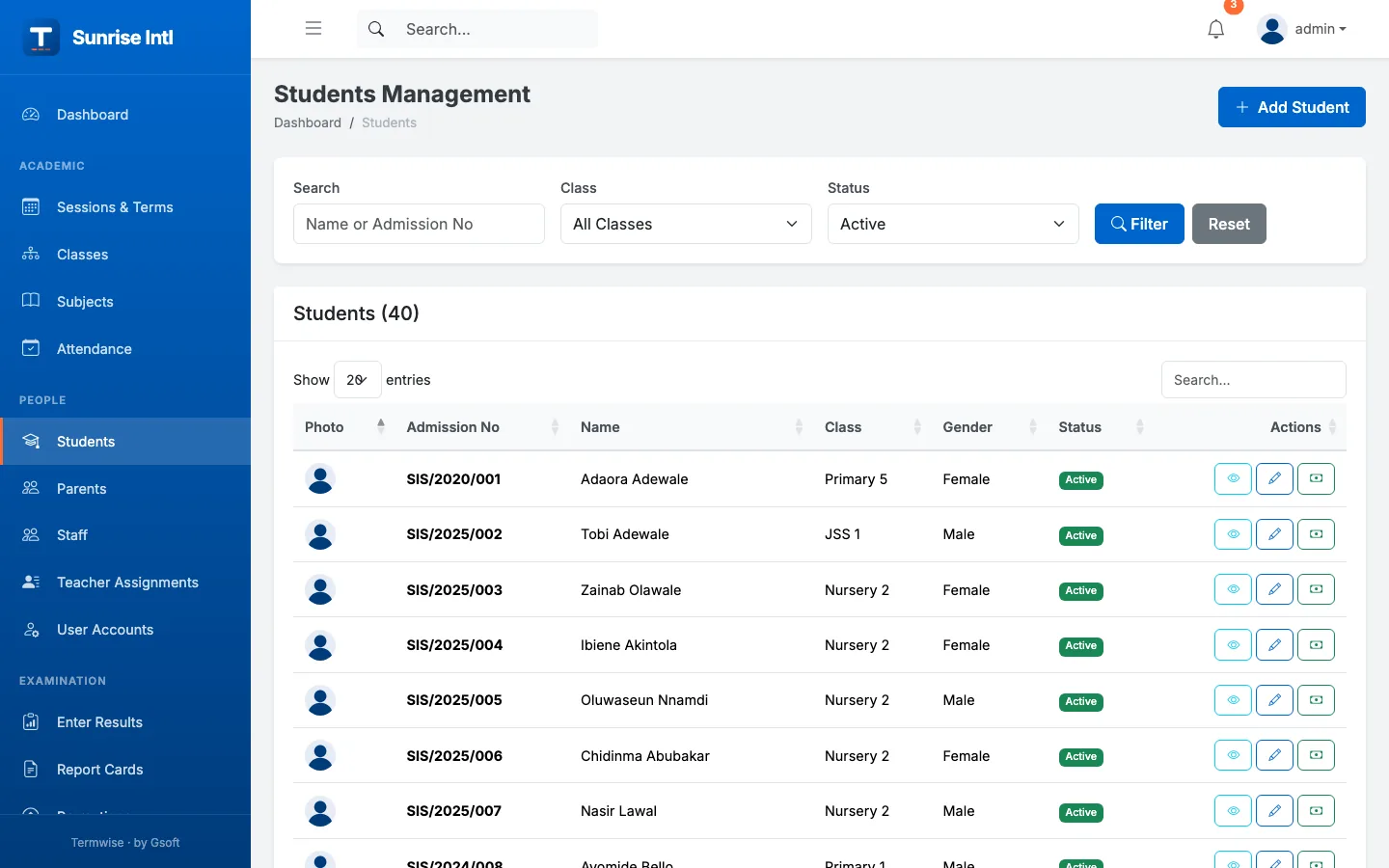
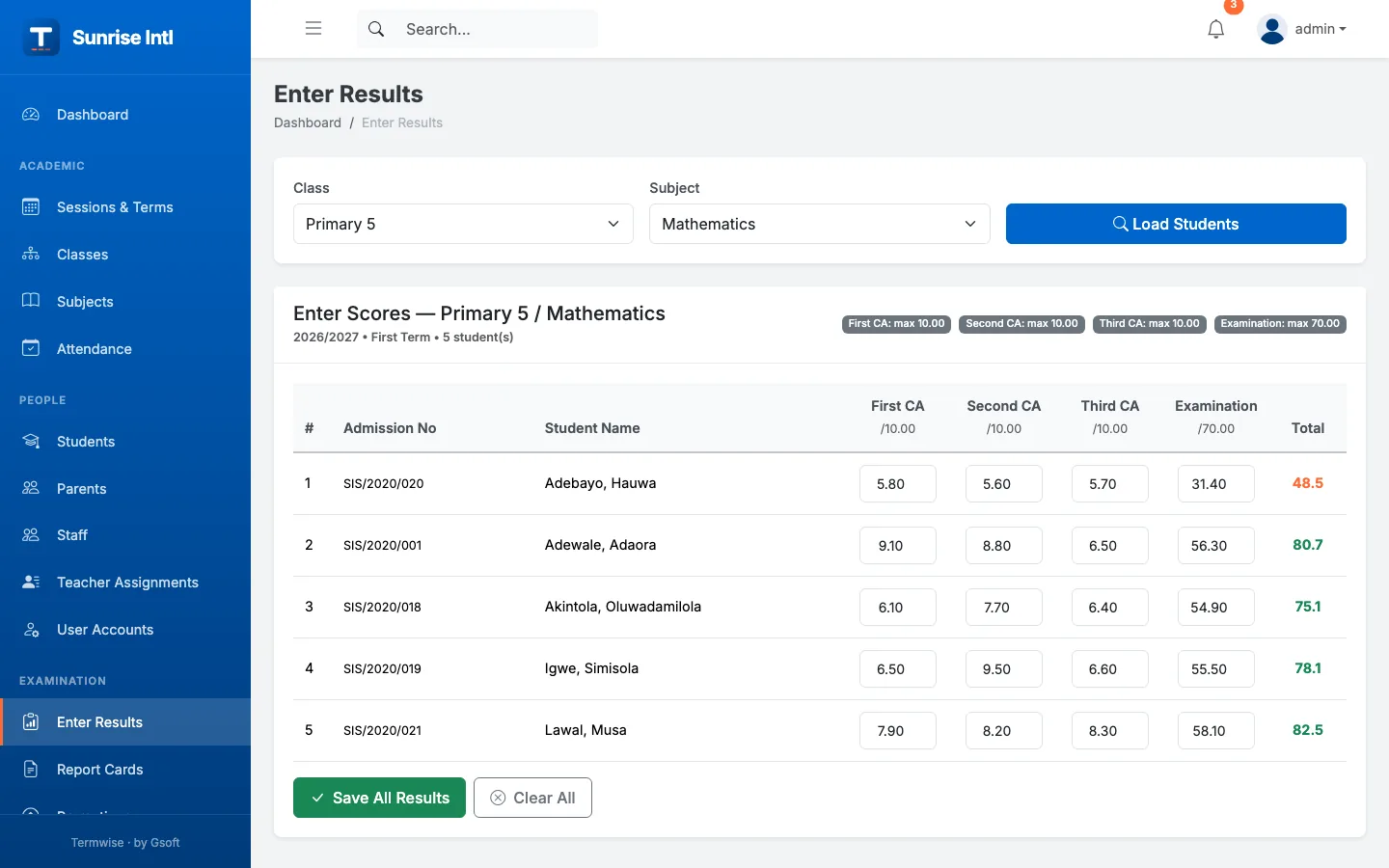
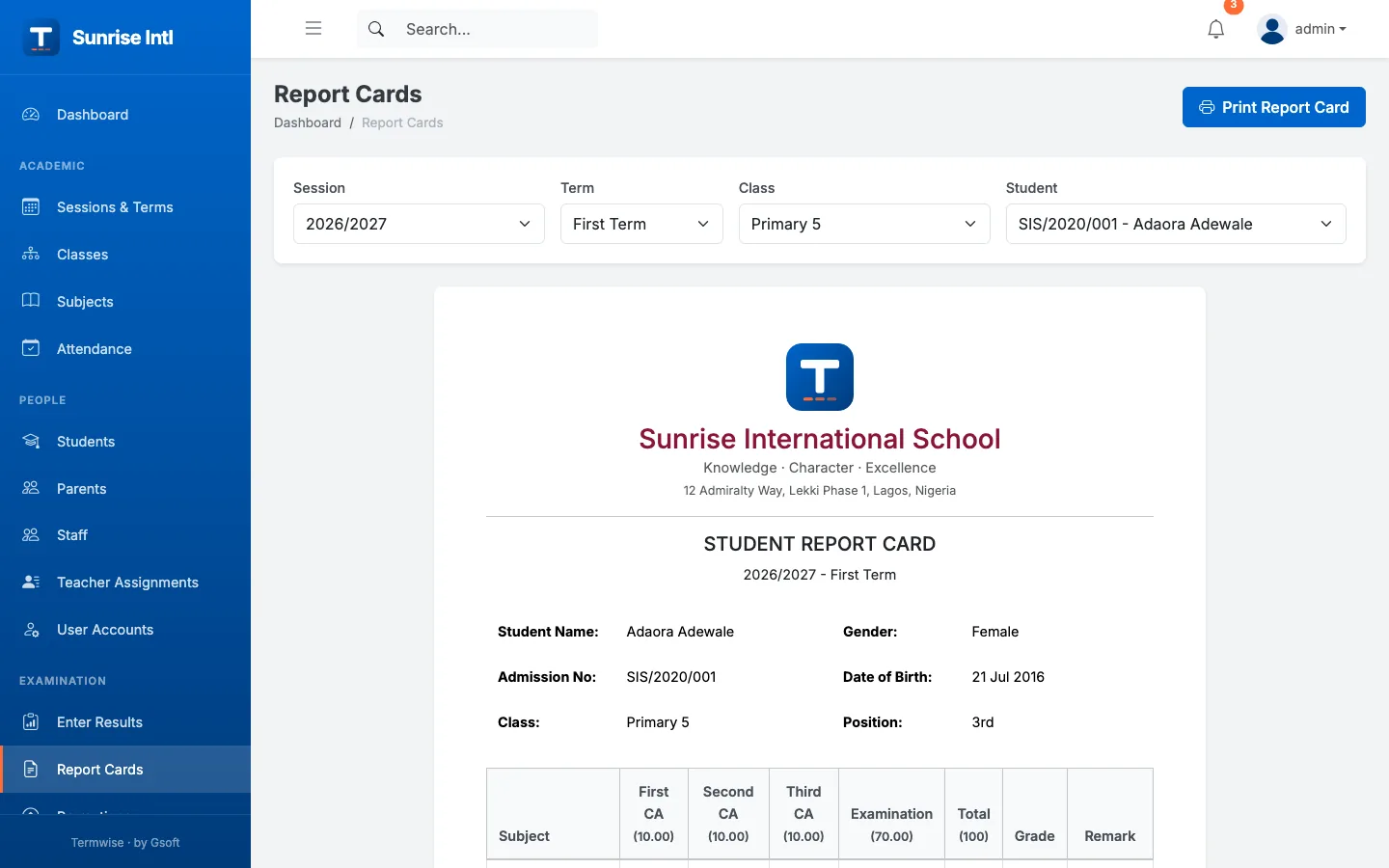
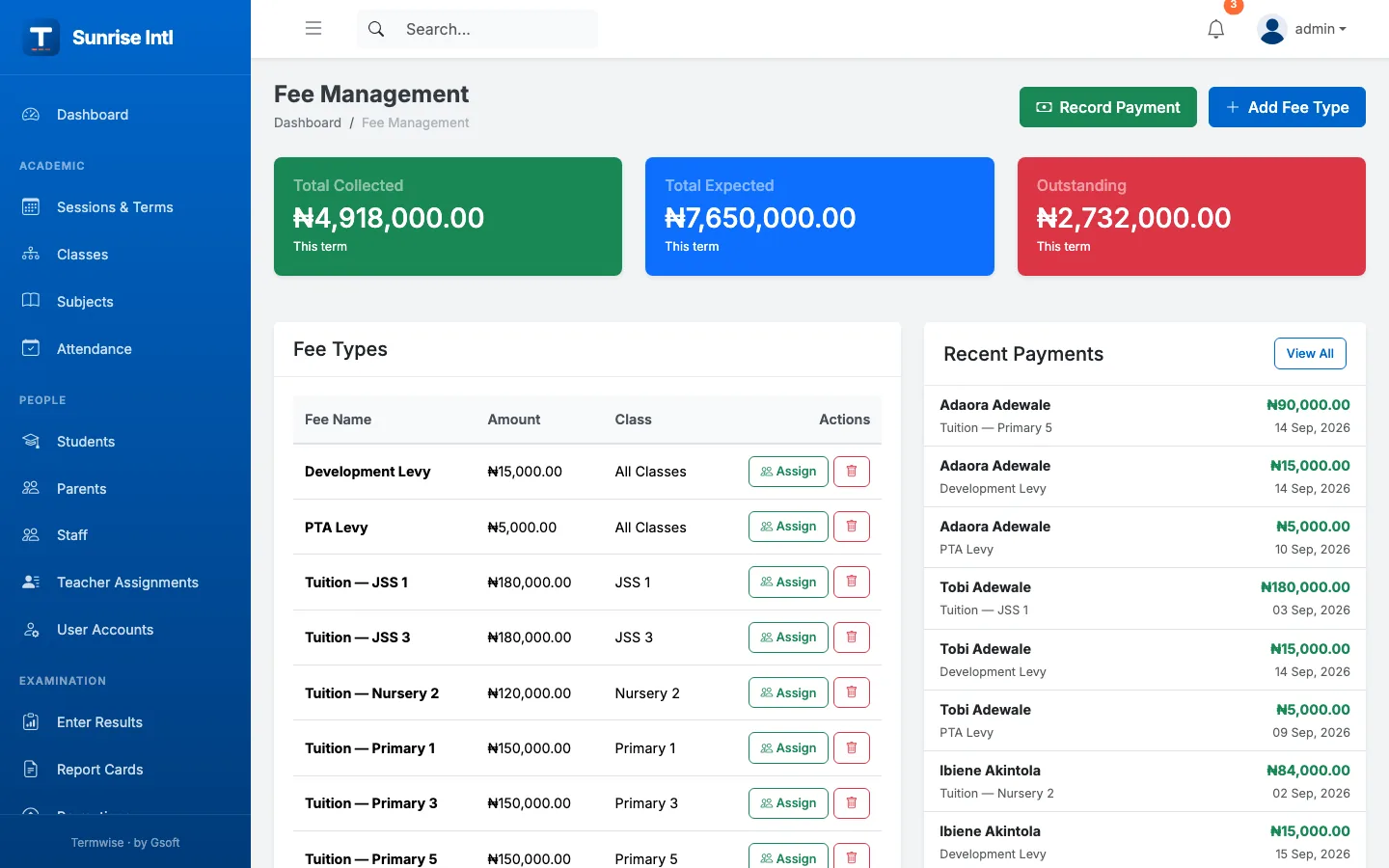
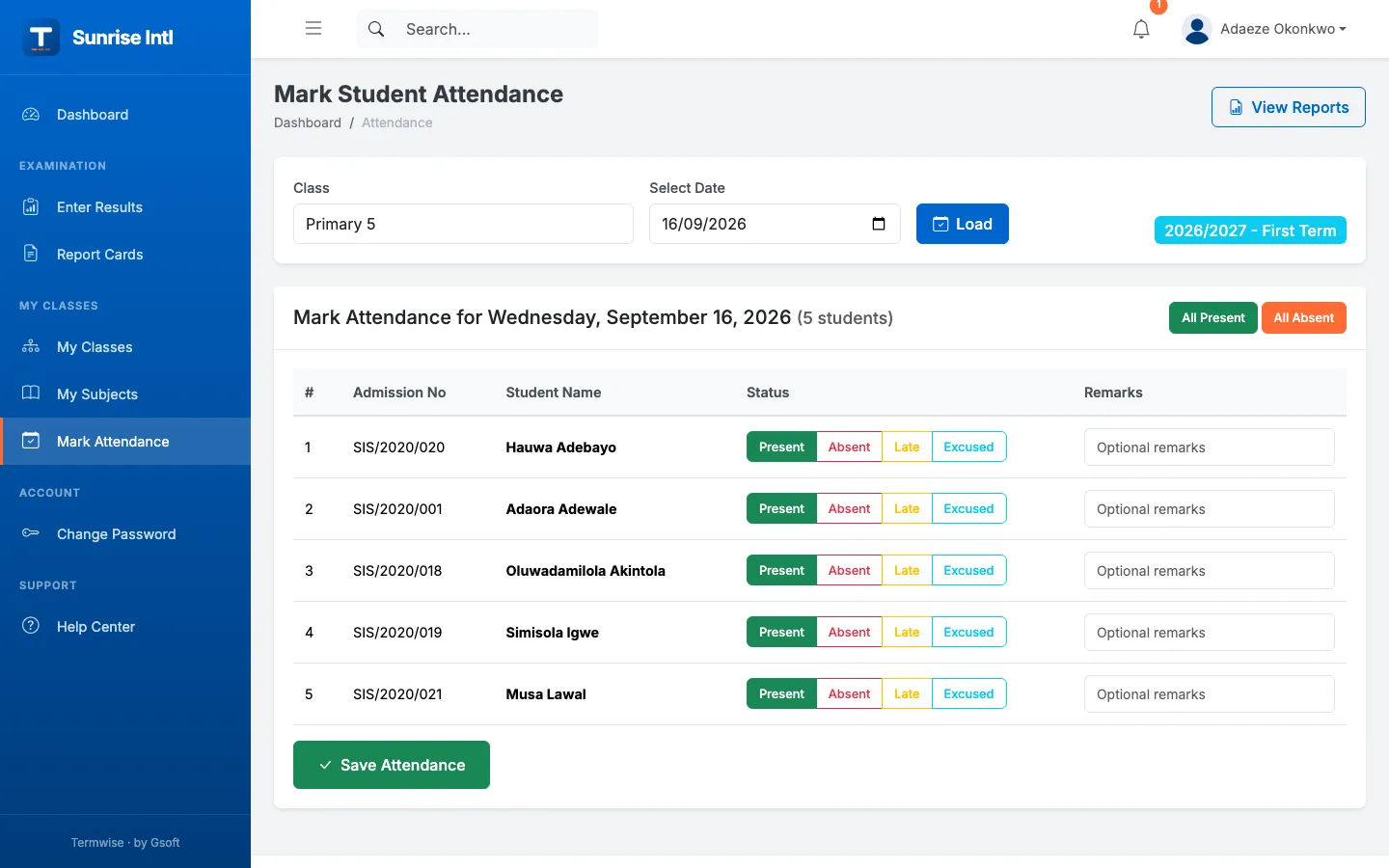
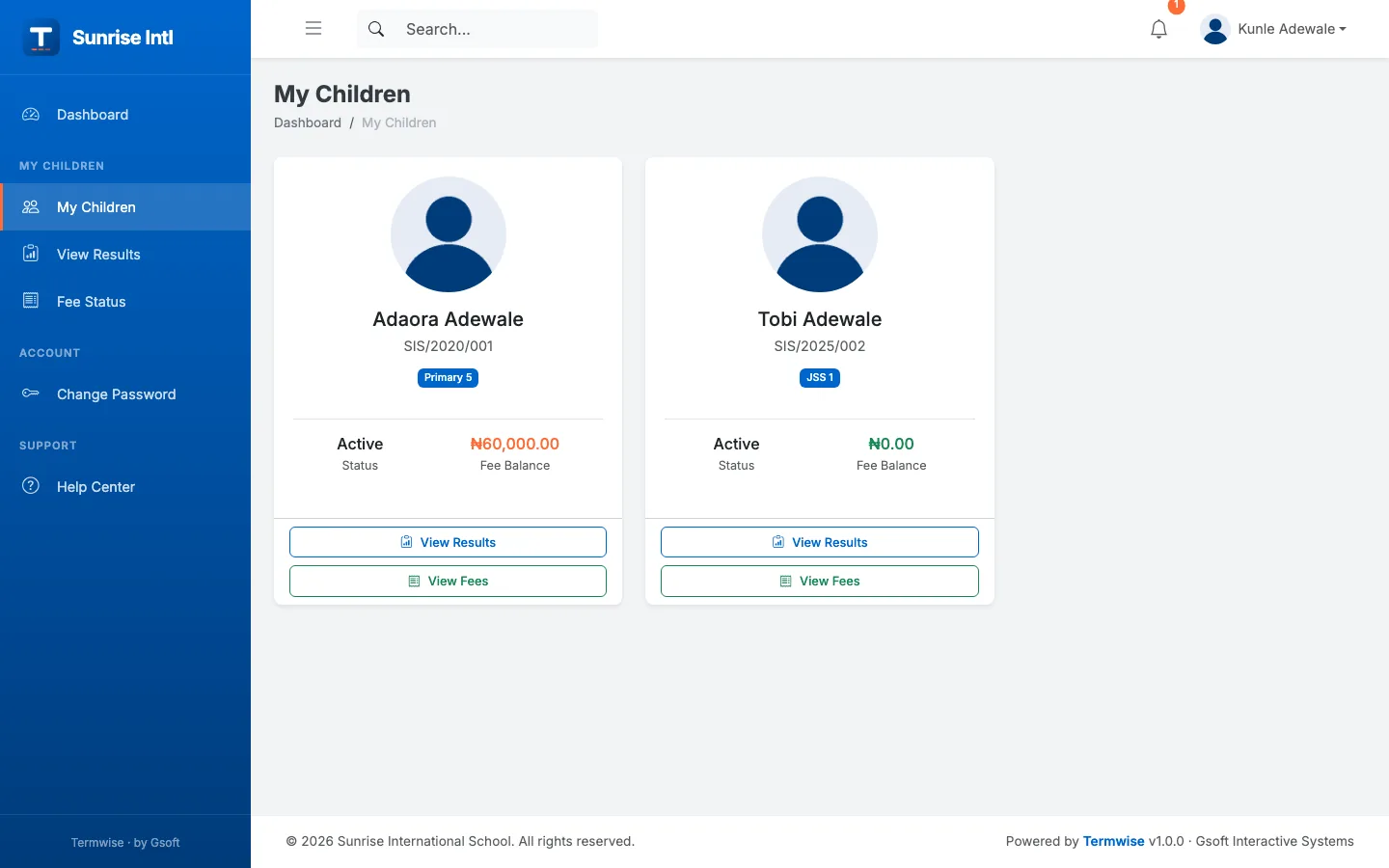
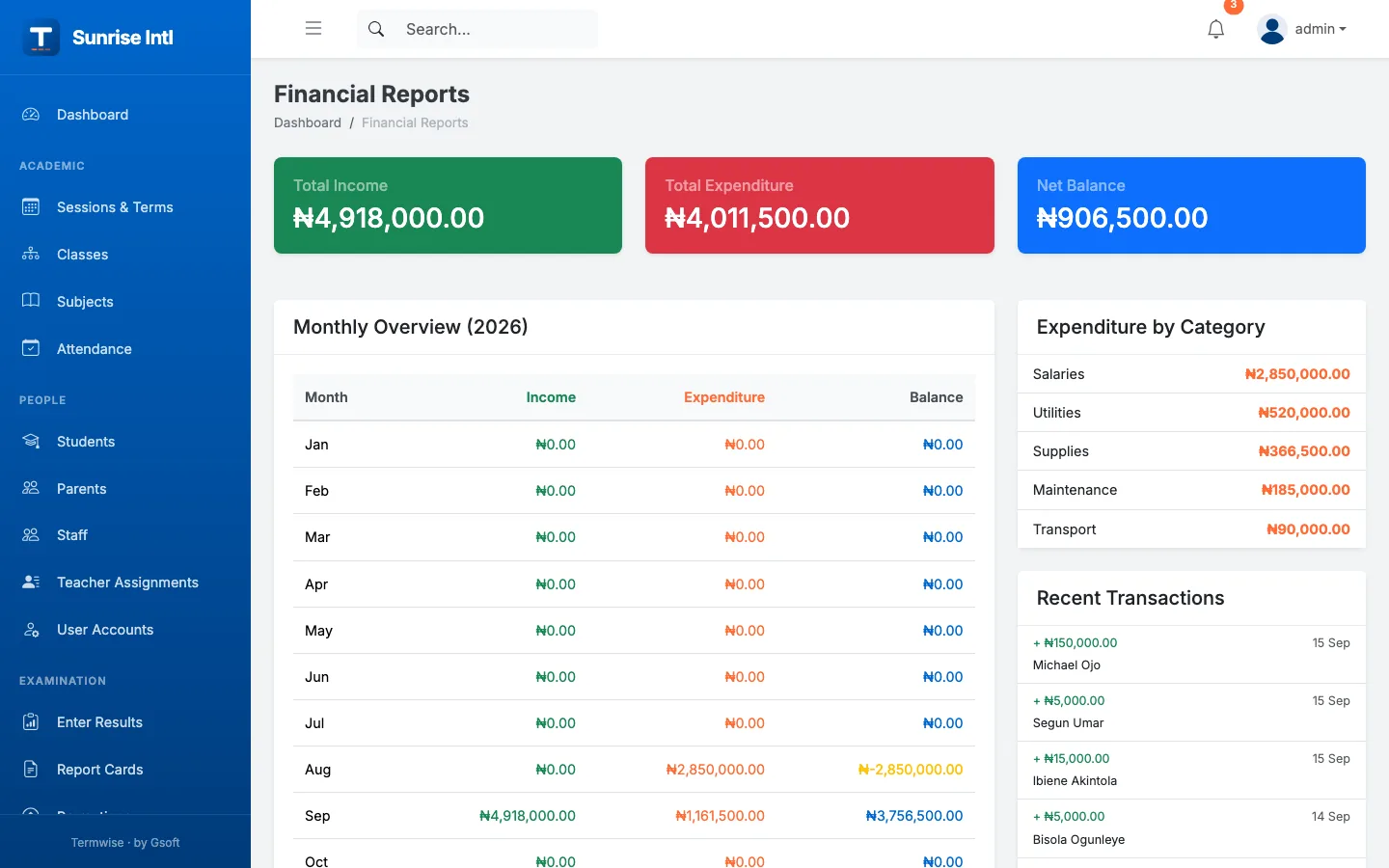
The demo runs on a fictional school with two terms of realistic data. Tell us your school's name and rough size and we'll send you logins for the admin, teacher, bursar, parent and student portals — usually within one working day. Demo data resets every night, so click anything.
Termwise runs on your school's domain or subdomain (for example portal.yourschool.ng) with your logo, name and colours — parents never see anyone else's brand.
We host and maintain it for you with SSL and daily backups, or deploy on a server your school controls. Either way the data belongs to the school.
Termwise is developed by Gsoft's own engineers, the same team behind government and fintech platforms featured in Vanguard and THISDAY. Support is a WhatsApp message away, in your time zone.
Yes. Termwise was built in Lagos for how Nigerian schools actually run: three terms per session, continuous assessment plus examination scoring, A–F grading, class positions, Naira fees with bank transfer, POS, cash and cheque payments, and separate portals for admins, teachers, the bursar, parents and students.
Yes. Demo access is by request — message us on WhatsApp or email info@gsoftinteractive.com and we send you logins for every portal, usually within one working day. The demo runs on a fictional school and resets daily.
Yes. Exam types are configurable (by default First CA 10, Second CA 10, Third CA 10 and Examination 70), grades and pass marks are configurable, teachers enter scores for their subjects, and Termwise produces printable termly report cards with subject breakdowns, class position, grading key and signature blocks.
Yes. Parents get an account linked to all their children and can see results, fee statements and payment history. Students see their own results and fees. Teachers see only their assigned classes and subjects.
On your own domain or subdomain. Gsoft can host and manage it with backups, or deploy on a server you control. Your school owns its data.
Termwise is licensed per school and priced by school size and the modules you need. Contact us for a proposal — there is no cost to see the demo.
Yes. We build and maintain Termwise, so online fee payment (Paystack / Flutterwave), SMS notifications to parents, e-learning, transport management and other modules can be added for your school.